👥 Social Hub
A Brand-New Way to Connect With Players
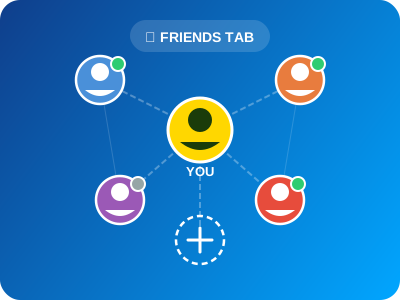
Callbreak is better with friends. The new Social Hub brings a dedicated Friends tab right into the app, making it easier than ever to find, connect, and play with other Callbreak enthusiasts.
Features
🔍 Find Players
Search for friends by their username. Whether they're across the room or across the country, you can add them in seconds.
📨 Send Friend Requests
Found someone you enjoyed playing with? Send them a friend request and build your network of Callbreak rivals.
🟢 Online Status
See who's currently online with real-time status indicators. Green dot = ready to play!
⚔️ Challenge Friends
Skip the matchmaking queue. Tap a friend's name and invite them directly to a Private Table or a quick game.
📋 Manage Your List
Keep your friends list organized. Remove inactive players, accept or decline requests, and keep your crew tight.
Why Social Hub Matters
| Before | Now |
|---|---|
| Random matchmaking only | Play with people you know |
| No way to reconnect with players | Add them as friends instantly |
| Can't tell who's online | Real-time online status |
| No direct challenges | One-tap game invites |
How to Get Started
- Open the app and tap the Friends tab at the bottom
- Search for friends by username or browse suggested players
- Send a request — once accepted, they appear in your list
- Tap to play — invite them to a game anytime they're online
Build Your Callbreak Crew
The best games happen with the best people. Start building your friends list today.